Matrix template
File placeholder · XLSX

Practical guide · Pre-analysis module
A guide to preparing your files, organizing transcripts and obtaining a results matrix ready for review.
01 · Explanation
Pre-analysis is a structured first read of the information extracted from transcripts. It helps you quickly find responses related to the study questions, preserve context and group findings in a shared matrix.
In this module you will work with a matrix, your transcript files and a processing board. The result will be one card per document and a results matrix to review with your team.
The processed card supports interpretation. The research team is always responsible for the final reading and validation.
02 · Requirements
Before you start, prepare the files and questions that will provide context for processing.
The guide or questionnaire that will shape the matrix.
One PDF per interview or group session, with readable text.
Use a name that identifies the segment, date or session code.
File placeholder · XLSX
File placeholder · DOCX
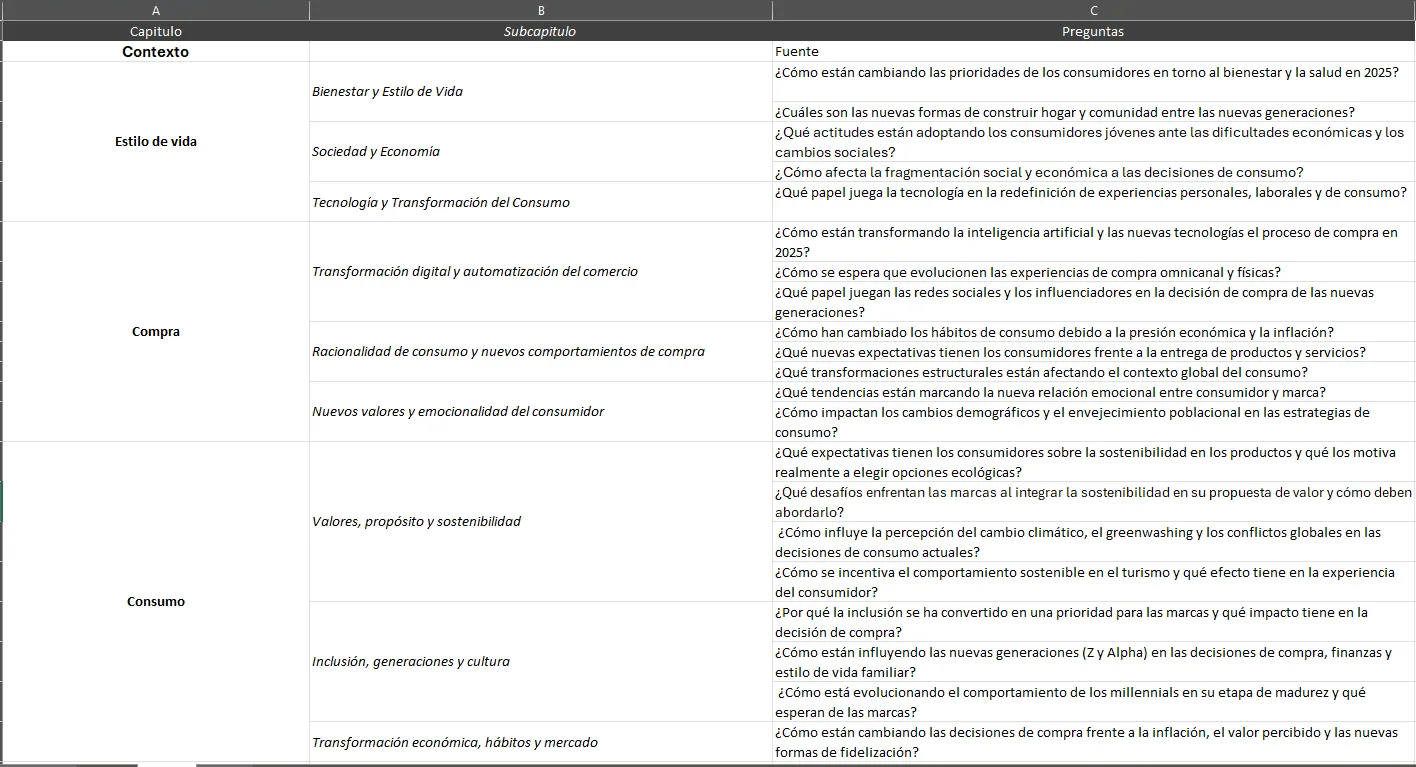
03 · Pre-analysis matrix
The matrix brings together the questions and categories you will use to find patterns. Start with one row per question and add columns for topic, segment and team observations.
Write each question in short, clear language.
Group related questions under one topic.
Leave space for notes and review decisions.
04 · Interviews
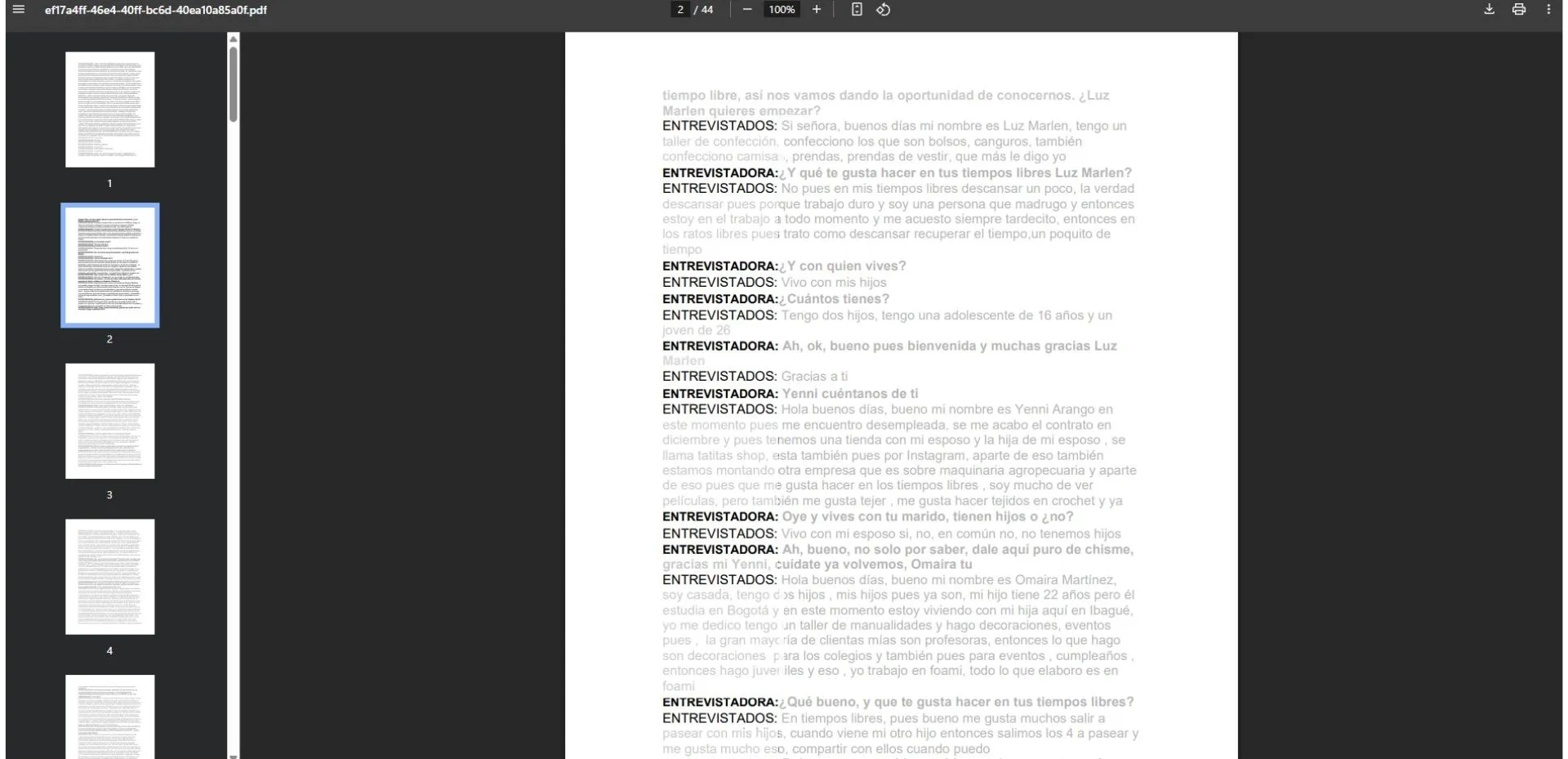
For in-depth interviews, preserve the conversation order and the participant identifier. Processing uses each response as evidence for its corresponding question.
05 · Group sessions
In a group session, identify each participant whenever possible. This helps distinguish agreements, nuances and different opinions within the same conversation.
06 · Process
The board lets you move forward in a visible, organized way. Complete each column before moving to the next.
Define the question, review the matrix and check that each transcript has a recognizable name.
Create a board and add files so you can see which documents are ready to process.
Relate responses to matrix questions and let Dipli group fragments by topic.
Read the processed card, confirm context and adjust categories when necessary.
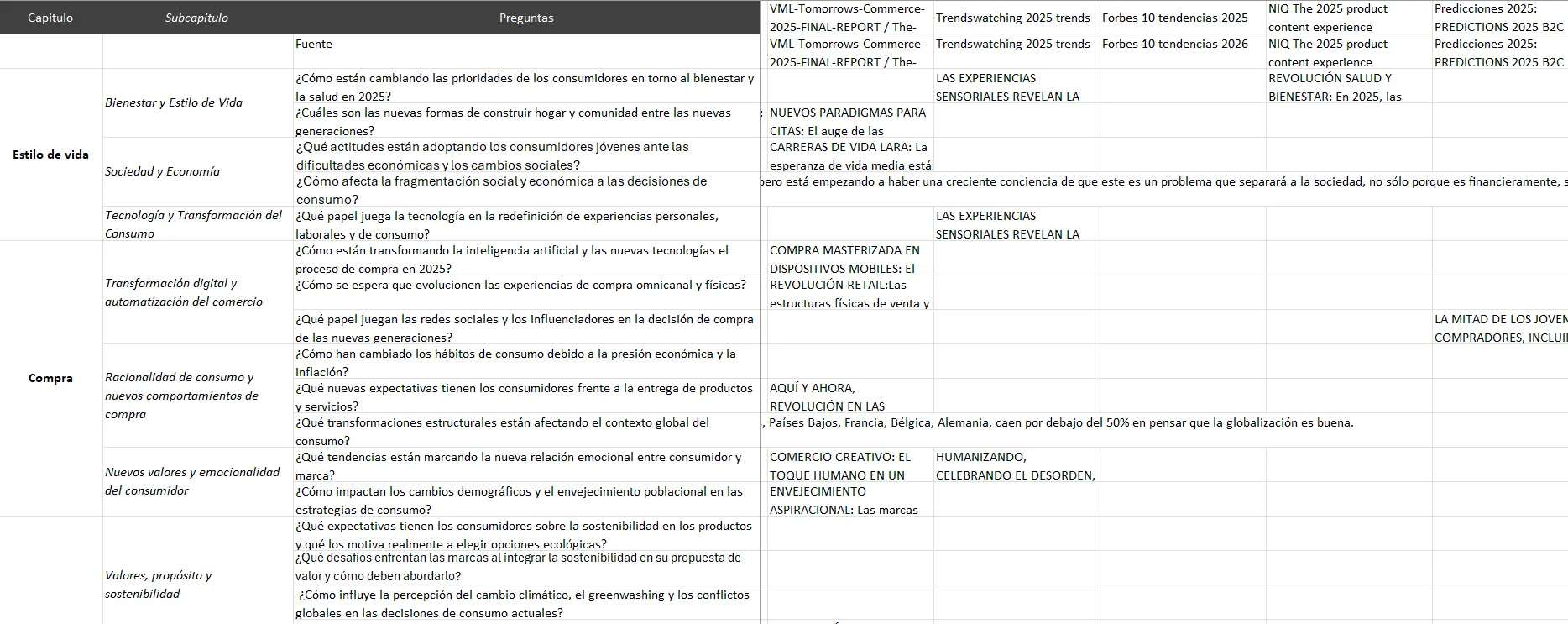
Export the results matrix and continue with analysis or report building.
07 · Processed card
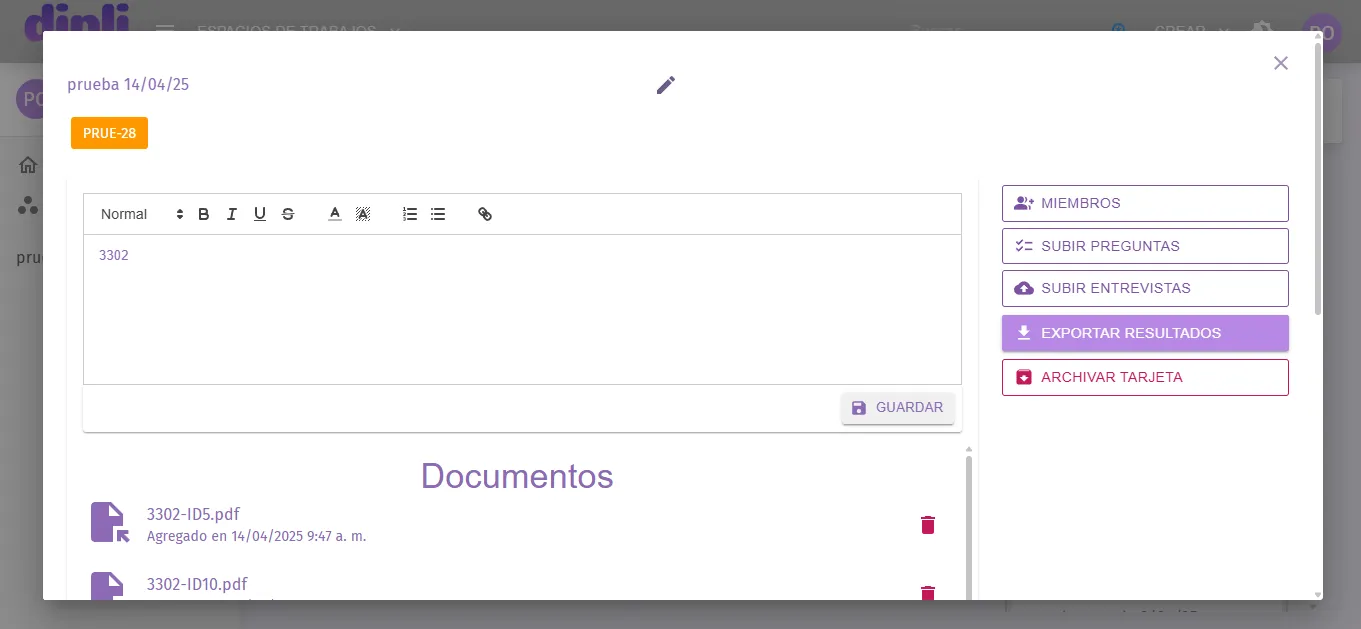
When a document finishes processing, Dipli shows a card with the responses found, the associated question and the suggested topic. Read the full excerpts and confirm that each one keeps its context.
“Example response pending replacement…”
Next step
The final file will be available when the download integration is published.