


Index
1. Explanation
2. Create board
3. Share with more users on the board
4. Cards
1. Explanation
The boards allow you to create cards where you upload projects to be processed. The boards that are created can be seen on the left side of the screen where the workspaces are located.
2. Create a board
1. Click on the “create” button in the upper right corner.

2. Two options will appear, select the option to “create board.”
3. A pop-up will appear where you must fill in the name, description, and identification information. The options will show the workspace where you want to save it and its visibility.
4. After filling in the information, select the “create” button.
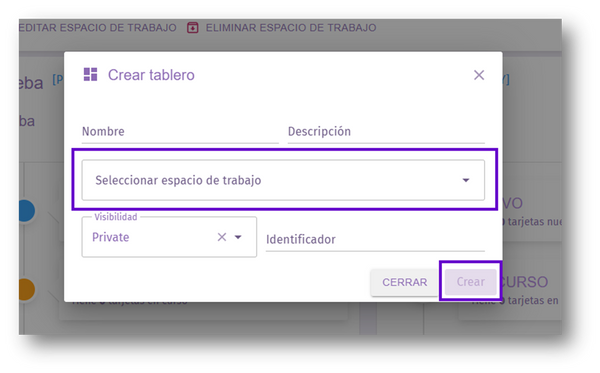
3. Share with more users on the board
1. In the upper right corner, you will see the option to “share board.”
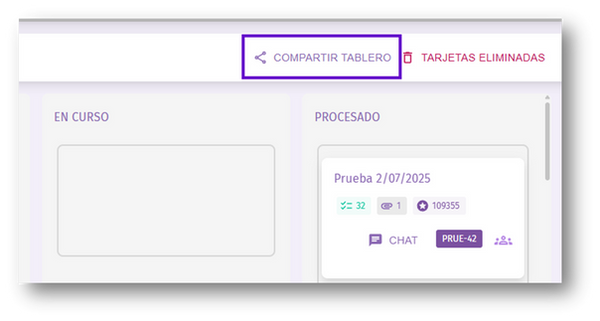
2. A pop-up window will appear where you can search for the user to be added and the type of permission they will have.

3. After filling in the information, click on the button on the right that says “share.”
